Coneshare V1.2: Document and Dataroom Activity Automation
Coneshare V1.2 introduces document workflow automation with real-time activity events, Slack and webhook delivery, retry/replay controls, and self-hosted operational visibility.
Manual Follow-Up Is the Bottleneck
Teams often discover document engagement too late:
- an investor reopened the deck yesterday;
- a buyer downloaded pricing this morning;
- legal accessed the dataroom an hour ago.
Coneshare V1.2 introduces real-time document workflow automation, so document and dataroom activity becomes operational data that can trigger internal action immediately.
What’s New in V1.2
- Activity-based triggers from document and dataroom events.
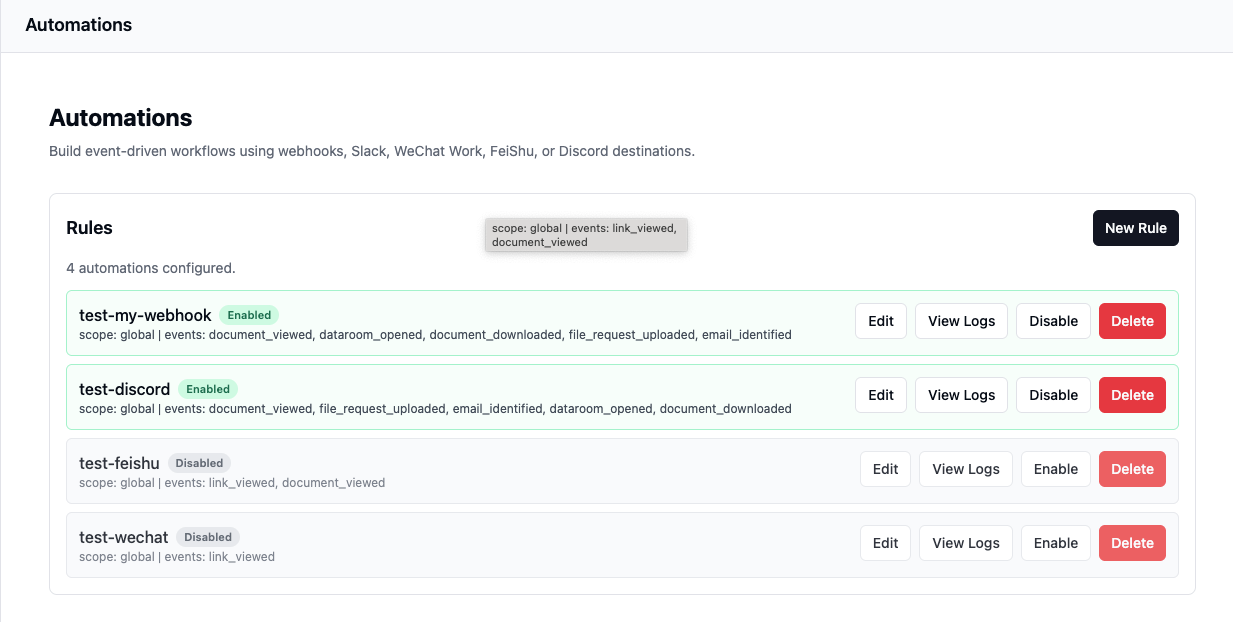
- Slack and webhook destinations for real-time workflow routing.
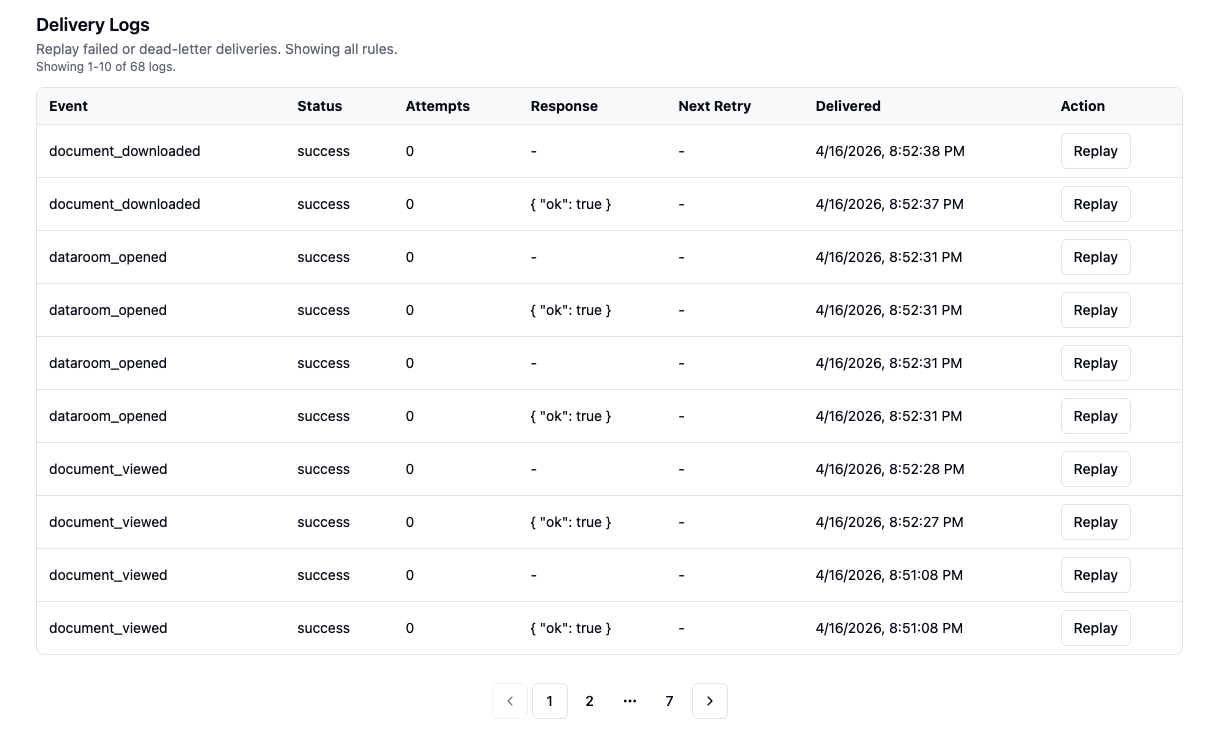
- Delivery logs with retry and replay controls.
- Multi-destination fan-out for parallel team/system notifications.
Why This Matters
V1.2 turns document activity into operational signals.
Instead of manually checking engagement dashboards, teams can route events directly into Slack channels, CRM pipelines, internal APIs, or workflow systems as activity happens.
For self-hosted teams, this means document engagement automation without moving files or event data outside their infrastructure boundary.
Event and Delivery Model
Supported activity triggers currently include:
- document views;
- revisits;
- downloads;
- dataroom access events.
Each event can fan out to multiple destinations simultaneously through Slack notifications and webhook delivery pipelines.
Simplified Event Flow
Document or Dataroom Activity
            |
            v
  Coneshare Event Engine
            |
            v
   Delivery Queue + Retry
            |
            v
  Slack | Webhook | Internal API
Workflow Examples
1. Investor Awareness Before Meetings
When an investor reopens a pitch deck before a scheduled meeting, founders can receive immediate Slack notifications and prepare follow-up materials before the call starts.
2. Sales Follow-Up at the Right Moment
Proposal download events can trigger CRM workflows or notify account executives in real time when buyer engagement increases.
3. Dataroom Operations for Deal Teams
Dataroom activity can be routed into internal systems so teams know which files were revisited before legal, diligence, or negotiation checkpoints.
Reliability and Operational Controls
Every outbound event delivery is tracked with operational logs, retry support, and replay controls.
This helps teams:
- diagnose failed integrations;
- recover transient delivery failures;
- validate automation behavior in production environments.
Under the Hood
The automation pipeline is designed around asynchronous event delivery:
- event generation from document and dataroom activity;
- queued delivery processing;
- retry-safe outbound dispatch;
- replay support for failed destinations.
This architecture allows integrations to remain reliable even when downstream services or network paths are temporarily unstable.
What’s Next
Future automation updates will continue in three directions:
- deeper workflow action support;
- stronger delivery reliability and observability;
- richer event intelligence and filtering for high-intent scenarios.
The overall direction remains the same: make document engagement a dependable operational signal that teams can route into internal systems without leaving a self-hosted model.
Availability
V1.2 is available now for self-hosted deployments.
Teams can use document engagement automation, dataroom automation, Slack document notifications, and webhook-based document tracking while keeping files and event data inside their own infrastructure.
Next Steps
- Try the automation flow in the Live demo.
- Connect your first Slack channel or webhook destination.
- Review release details with your operations or revenue systems team.
- Share feedback and workflow examples in the Coneshare forum.